
Reliable Remote Work Software Built for Professionals
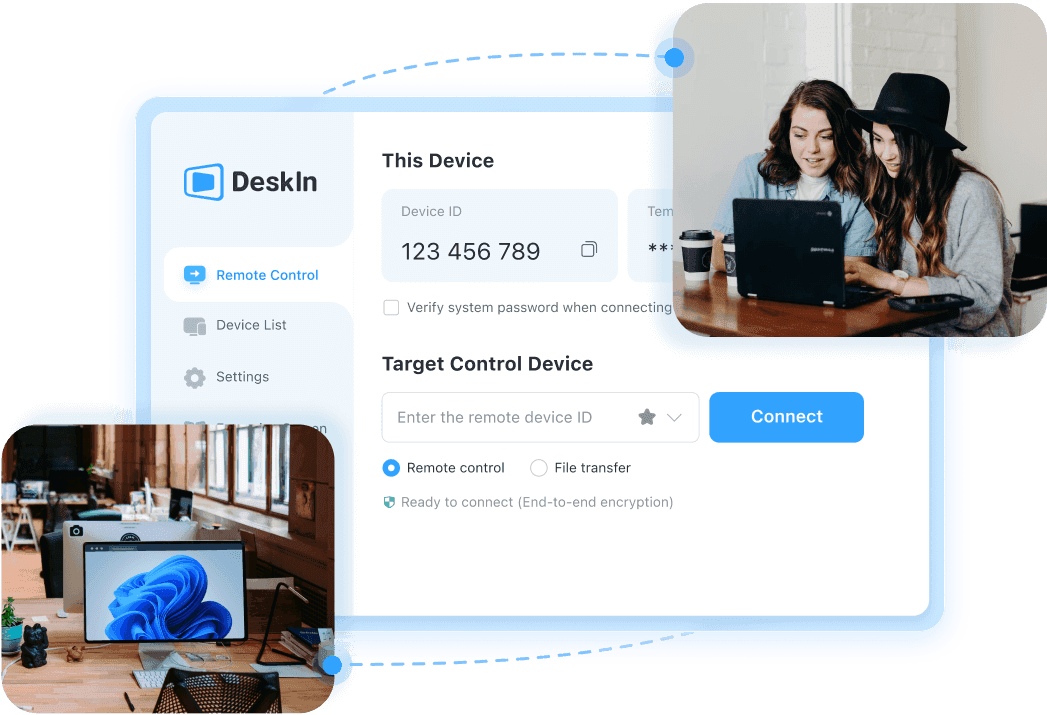
DeskIn is a remote access software that enables you to work from home with a stable and secure connection.
Available for:


Reliable Remote Work Software Built for Professionals
DeskIn is a remote access software that enables you to work from home with a stable and secure connection.
Available for:
Reliable Remote Work Software Built for Professionals
DeskIn is a remote access software that enables you to work from home with a stable and secure connection.
Available for:
Software to Remote Access Work Setup
Remote connection diversity

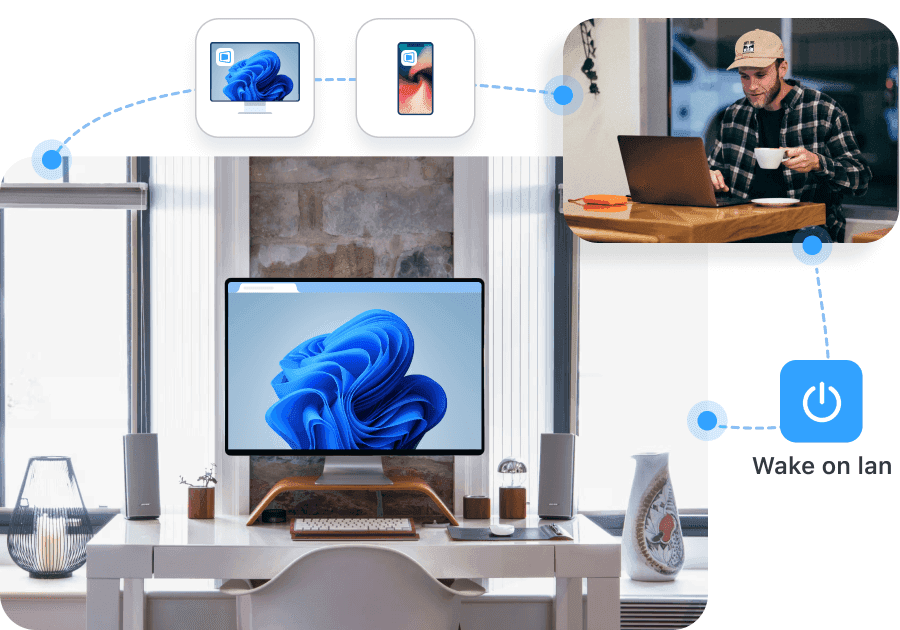
1. On-Demand Access: Remote connect with a temporary code or password-free.
2. Unattended Access: Set a password to access your devices anytime.
3. Wake on LAN: Power on your computer remotely.
Cross system remote access

Remote connection diversity
1. On-Demand Access: Remote connect with a temporary code or password-free.
2. Unattended Access: Set a password to access your devices anytime.
3. Wake on LAN: Power on your computer remotely.
Cross system remote access

DeskIn supports remote connections on Windows, macOS, Android, iOS, and Web.
Remote connection diversity
1. On-Demand Access: Remote connect with a temporary code or password-free.
2. Unattended Access: Set a password to access your devices anytime.
3. Wake on LAN: Power on your computer remotely.
Cross system remote access

High-Performance for Teams and Professionals
High-Performance for Teams and Professionals

4K60FPS / 2K240FPS
High-Quality & Responsive Remote Display
4K60FPS / 2K240FPS
High-Quality & Responsive Remote Display
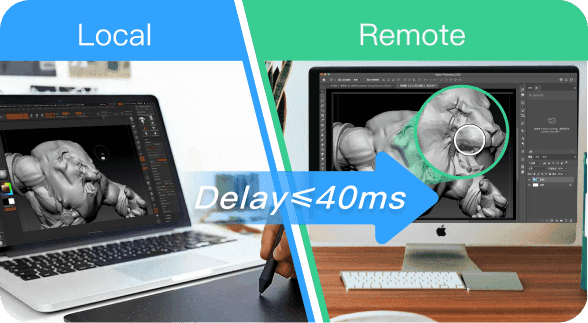
≤40ms Latency
Experience Smooth & Stable Performance
≤40ms Latency
Experience Smooth & Stable Performance

200+ Global Nodes
Fast Remote Access, Instantly Connected
200+ Global Nodes
Fast Remote Access, Instantly Connected
High-Performance for Teams and Professionals
4K60FPS / 2K240FPS
High-Quality & Responsive Remote Display
≤40ms Latency
Experience Smooth & Stable Performance
200+ Global Nodes
Fast Remote Access, Instantly Connected
Secure and Fast File Transfer
輕鬆傳輸和管理檔案
Mengirim & Mengelola File dengan Mudah
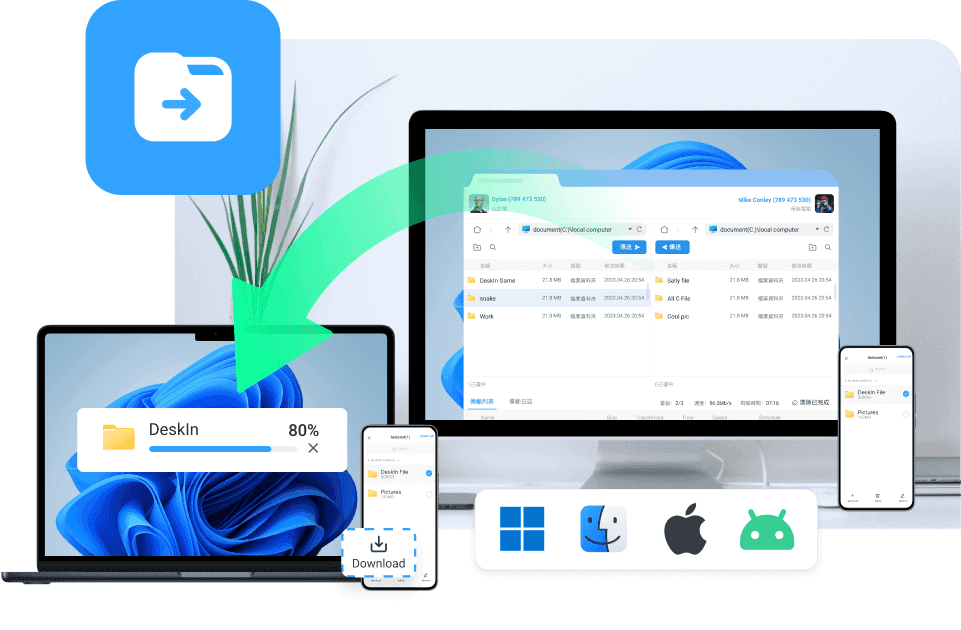
Access, manage, and transfer files through remote desktop
Access, manage and transfer any files between any devices wirelessly
Desktop to Desktop
Desktop to Mobile
Mobile to Desktop
Mobile to Mobile
Access, manage and transfer any files between any devices wirelessly
Desktop to Desktop
Desktop to Mobile
Mobile to Desktop
Mobile to Mobile

Tools for Efficient Productivity

Mirror Screen

Screen Sharing for Real-Time Presentations and Remote Guidance
Extend Screen

Remote Camera

Remote Printing

Tools for Efficient Productivity
Mirror Screen
Screen Sharing for Real-Time Presentations and Remote Guidance
Extend Screen
Remote Camera
Remote Printing
Security is Our Priority
256-bit Encryption

Bank-level security for your remote control solution
Privacy Screen

Blacklist & Whitelist

More Security Settings


256-bit Encryption
Bank-level security for your remote control solution
Privacy Screen
Blacklist & Whitelist
More Security Settings
256-bit Encryption
Bank-level security for your remote control solution
Privacy Screen
Blacklist & Whitelist
More Security Settings
Recommended Plan
Standard
$9.9
USD
Monthly
or annual subscription of $49.9

Root-free Android Control
$8.9 monthly

Recommended Plan
Standard
$9.9
USD
Monthly
or annual subscription of $49.9
Root-free Android Control
$8.9 monthly
Remote Desktop & Remote Work FAQs
Remote Desktop & Remote Work FAQs
1. Is DeskIn sufficiently secured for business and sensitive work?
Yes, and user security is our top priority. DeskIn uses 256-bit AES End-to-End Encryption for all data transmission, ensuring that no third party can intercept your session. Privacy Screen Mode allows you to black out your physical office monitor, so your work stays private even with colleagues nearby.
2. What happens if my office computer is in sleep mode or turned off?
You can still access it. DeskIn's Wake-on-LAN (WoL) support allows you remotely wake or power your office PC directly from DeskIn app. As long as your office computer is connected to a power source and the internet (via cable), you can work from anywhere without being locked out of your workstation
3. What internet speed do I need for a no-lag experience?
DeskIn's RTC + VIP High-Speed Server network deliver ultra-low latency, even on fluctuating connections. 2 Mbps for standard remote work workflows, 10 Mbps or higher for 4K/60FPS or performance-heavy tasks.
4. Does DeskIn support multiple monitors for remote work?
Yes. If your office workstation has multiple screens, DeskIn allows you to view them all simultaneously or switch between them with one click. Our Virtual Screen feature turns your iPad or laptop into a second display, extending your remote desktop workflow without extra hardware
Remote Desktop & Remote Work FAQs
1. Is DeskIn sufficiently secured for business and sensitive work?
Yes, and user security is our top priority. DeskIn uses 256-bit AES End-to-End Encryption for all data transmission, ensuring that no third party can intercept your session. Privacy Screen Mode allows you to black out your physical office monitor, so your work stays private even with colleagues nearby.
2. What happens if my office computer is in sleep mode or turned off?
You can still access it. DeskIn's Wake-on-LAN (WoL) support allows you remotely wake or power your office PC directly from DeskIn app. As long as your office computer is connected to a power source and the internet (via cable), you can work from anywhere without being locked out of your workstation
3. What internet speed do I need for a no-lag experience?
DeskIn's RTC + VIP High-Speed Server network deliver ultra-low latency, even on fluctuating connections. 2 Mbps for standard remote work workflows, 10 Mbps or higher for 4K/60FPS or performance-heavy tasks.
4. Does DeskIn support multiple monitors for remote work?
Yes. If your office workstation has multiple screens, DeskIn allows you to view them all simultaneously or switch between them with one click. Our Virtual Screen feature turns your iPad or laptop into a second display, extending your remote desktop workflow without extra hardware


Products
Download
Resources
Contact Us
Email: support@deskin.io
Office: 991D Alexandra Road #02-17, Singapore 119972
Copyright © 2026 Zuler Technology PTE. LTD. All rights reserved.
Products
Download
Resources
Contact Us
support@deskin.io
991D Alexandra Road #02-17
Singapore 119972
Copyright © 2026 Zuler Technology PTE. LTD. All rights reserved.
Contact Us
Email: support@deskin.io
Office: 991D Alexandra Road #02-17, Singapore 119972
Products
Download
Resources
Copyright © 2026 Zuler Technology PTE. LTD. All rights reserved.
【New User Special Offer】
Save
Extra 20%
on your first order|4K60FPS
Extra
20% Off
|For
New Users
【New User Special Offer】
Save
Extra 20%
on first order